Postman Flows
Postman Flows is a visual, low-code tool that connects API requests, logic, and AI agents into flows that developers and coding agents can test, run locally, and deploy to Postman Cloud.
Trusted by teams at


Install the Postman plugin in your coding agent
Marketplace
get the Postman plugin
claude plugin marketplace add anthropics/claude-plugins-officialclaude plugin install postman@claude-plugins-officialflows
Run, deploy, trigger, and debug flows from the terminal
ci-integration
Gate every PR on your Postman checks
api-testing
Write tests for the requests your flows call
variables
Keep each environment's values and secrets out of the flow


Try these prompts
WHY POSTMAN FLOWS
Agentic where you want it, deterministic everywhere else
AI agents and fixed logic in one flow
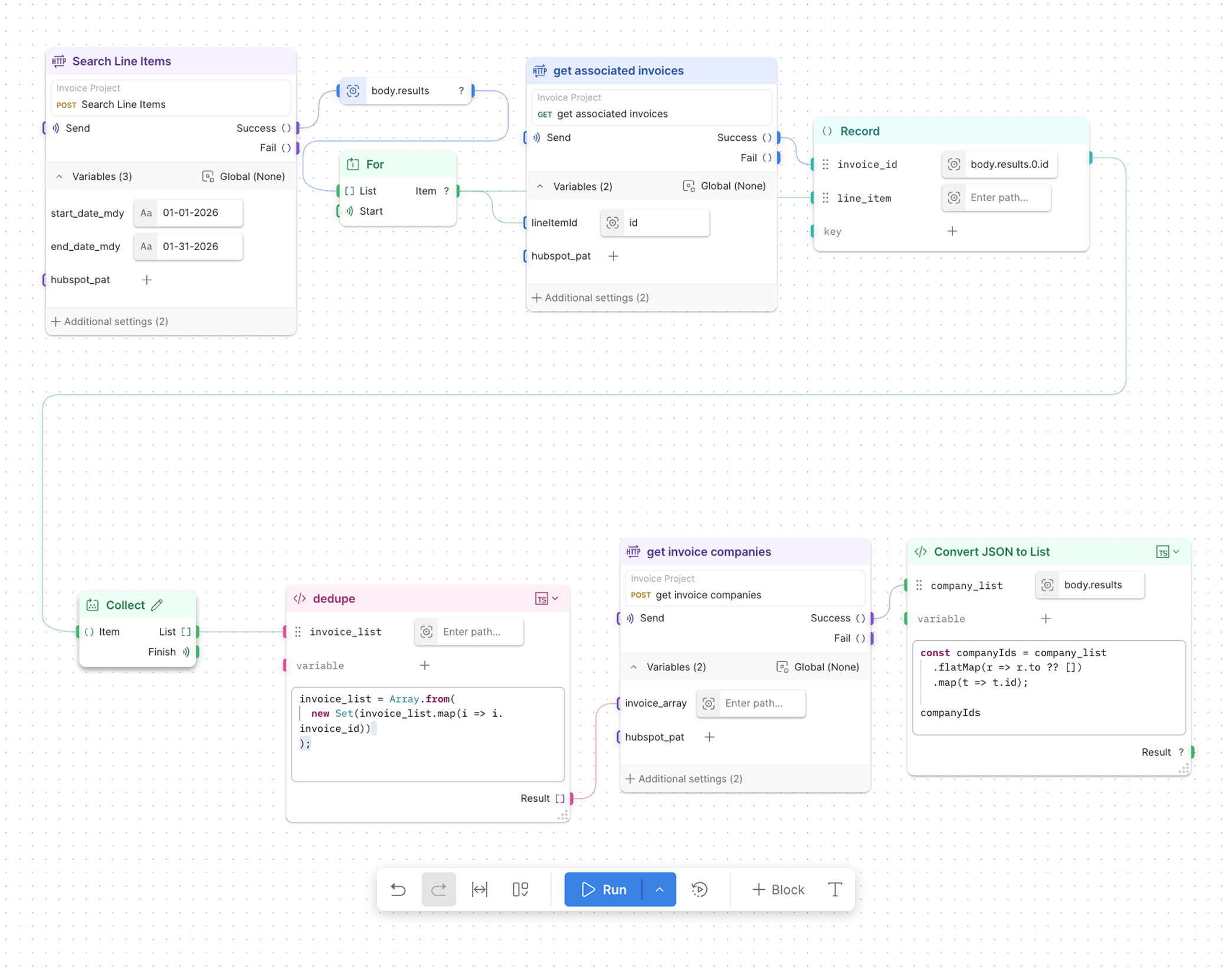
Put an AI Agent block next to Condition, If, and For blocks. The agent can call MCP server tools or your other flows as tools, while branches, loops, and validation run the same way every time.
Evals on every AI step
Score AI Agent output for correctness, relevance, safety, friendliness, and non-toxicity, or add up to 50 custom evals. Write your own checks in TypeScript in an Evaluate block. Evals run each time the flow runs.
Test what happens between endpoints
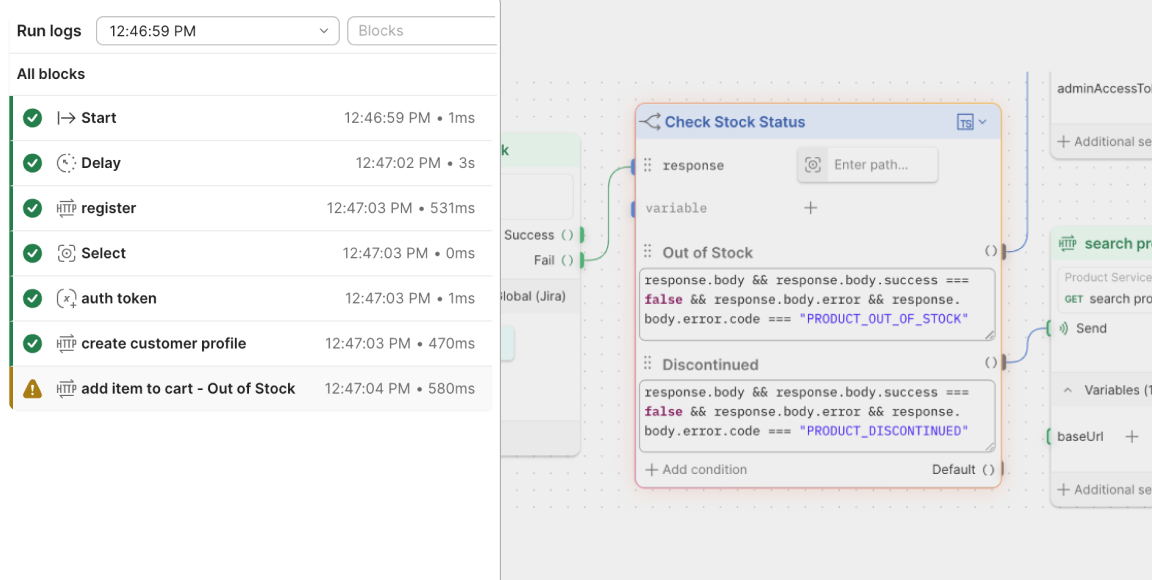
Real API journeys branch. Chain requests, map each response into the next step, and use Condition and Validate blocks to test every path, like the out-of-stock order or the expired token.
Local runs and cloud runs
Run a flow on your machine with a local environment file, or in Postman Cloud. Local runs can reach private APIs. Cloud runs use only the shared values of your environment variables, so local values stay on your machine.
Deploy as an API, a schedule, or an MCP server
Deploy any flow to Postman Cloud with a Request, Schedule, or MCP trigger. Each deployment gets a URL, optional authentication, and a snapshot you can redeploy later.
A failing flow fails the build
When a flow fails, the Postman CLI exits with a nonzero code and can write an HTML test report, so CI stops the merge. Running flows from the CLI is available on Enterprise plans.


USE CASES
What teams build with Postman Flows
Postman Flows takes the multi-step API work that lives in scripts, runbooks, and someone's memory, and makes it something anyone on the team can run.
Route issues without copy and paste
A triage flow listens for a Slack reaction, fetches the thread, has an AI Agent block turn it into an issue, and creates the Jira ticket with a title, summary, and type. Describe the flow to Postman Agent Mode and it builds the canvas for you.
- A Request trigger receives Slack events
- A Condition block checks for your ticket emoji
- An AI Agent block drafts the Jira issue
- The flow creates the ticket and posts the link back to Slack

Flows are a game changer. No custom scripts, no glue code. Just model complex API sequences, view real-time execution, and integrate AI request blocks directly. Save hours and gain confidence in your integration.”
PayPal Developer Experience Team
PayPal
Frequently asked questions
Postman Flows is a visual, low-code tool that connects API requests, logic, and AI agents into flows that developers and coding agents can test, run locally, and deploy to Postman Cloud. You build a flow by connecting blocks on a canvas, then run it in Postman, from the Postman CLI, or as a deployed API in Postman Cloud.
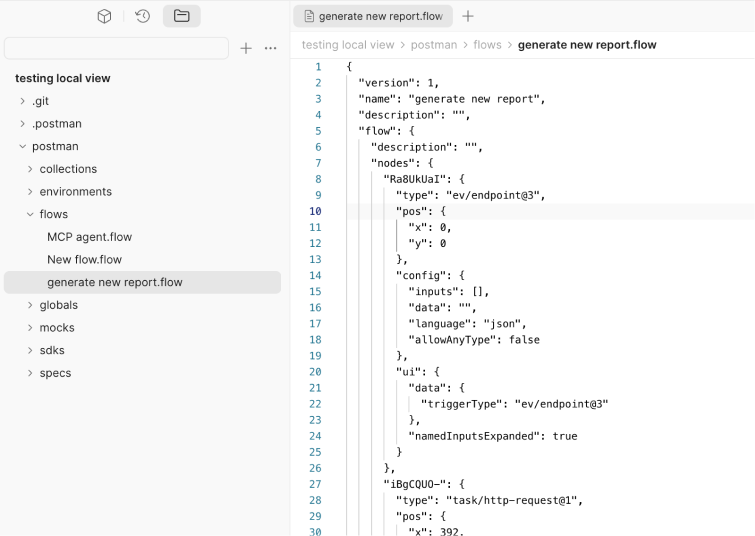
Yes. With the Postman plugin, coding agents like Claude Code, Codex, and Cursor use the Postman CLI to list flows, create a flow in a repository connected to a Postman workspace, run a flow file, deploy a flow, trigger a deployed flow, and read a failed run block by block. You can also describe a flow to Postman Agent Mode and it builds the flow for you.
Run postman flows run with the path to a flow file, and pass an environment file with -e. The command exits with a nonzero code when the flow fails, so a CI job fails with it, and it can write an HTML test report. Running flows with the Postman CLI is available on Postman Enterprise plans and requires postman login.
A local run happens on your machine, so it can reach private APIs and read your environment's local values. A cloud run happens in Postman Cloud, can't reach private APIs, and uses only the shared values of your environment variables. Deploy a flow to the cloud when you want it on a schedule, at a URL, or as an MCP server.
Turn on built-in evals for an AI Agent block (correctness, relevance, safety, friendliness, and non-toxicity) or add up to 50 custom evals, and write your own checks in TypeScript in an Evaluate block. Evals run each time the flow runs, and a failed eval is reported without failing the flow. Each eval uses Flows credits, and evals don't run from the Postman CLI.
Every Postman plan includes Flows, with unlimited manual runs. Automated flows in Postman Cloud use Flows credits, and each plan includes a monthly allotment per team: 25 on Free, 50 on Solo, 100 on Team, and 500 on Enterprise. Solo, Team, and Enterprise can add pay-as-you-go credits at $1 per 1,000 credits. Enterprise teams can also buy credits in bulk at $10 per 10,000 credits. Running flows with the Postman CLI is available on Enterprise plans. See Postman pricing for current details.
The Collection Runner runs the requests in a collection and the tests on each response. Postman Flows is for workflows that branch, loop, call AI agents, or need to run as a deployed API, a schedule, or an MCP server. A flow can call requests saved in your collections, so you can start from what you already have.
Trusted by over 50 million developers and 500,000 companies.




Install for your agents