New to Postman? You'll create three building blocks in this part: a workspace (your project folder), a collection (a group of related requests), and a request (a single API call). Each step below walks you through where to click.
Learn more: Workspaces, Send an API request
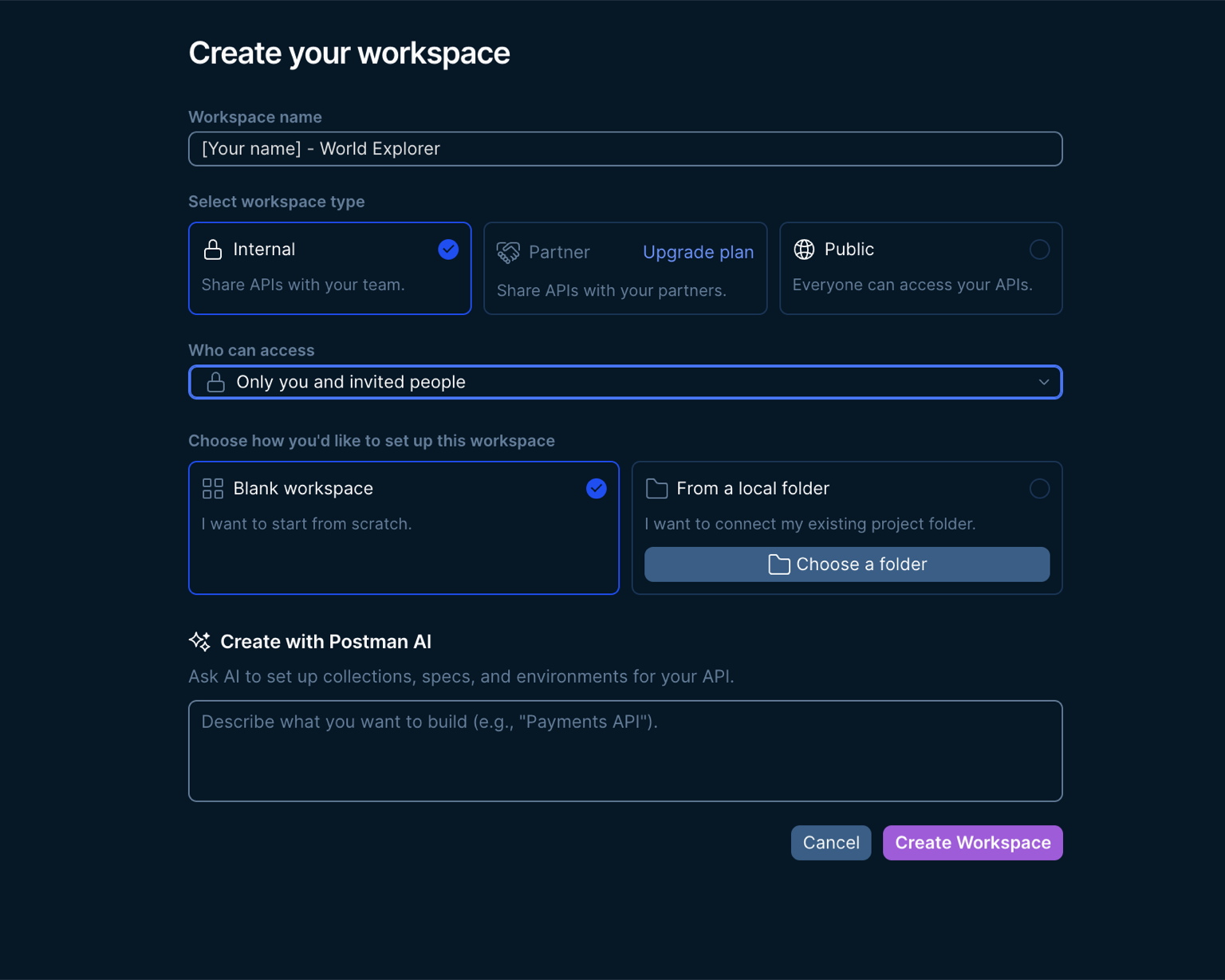
Create a Workspace
A workspace is your home base in Postman — collections, requests, and variables all belong to one.
- Open the Postman desktop app. If you don't have it yet, download Postman and sign in — if you're already signed in, you're good to go.
- Click Workspaces in the top navigation → Create.
- On the Create your workspace form, in Workspace name enter [your name] - World Explorer (e.g. Alex - World Explorer).
- For Who can access, open the dropdown and choose Only you and invited people — Internal is already selected.
- Leave the template on Blank workspace (already selected), then click Create Workspace.
Create a Collection
A collection groups related requests together — like a folder for your country lookups.
- Confirm you're in your new workspace (check the name in the top-left).
- In the left sidebar, click + → Collection.
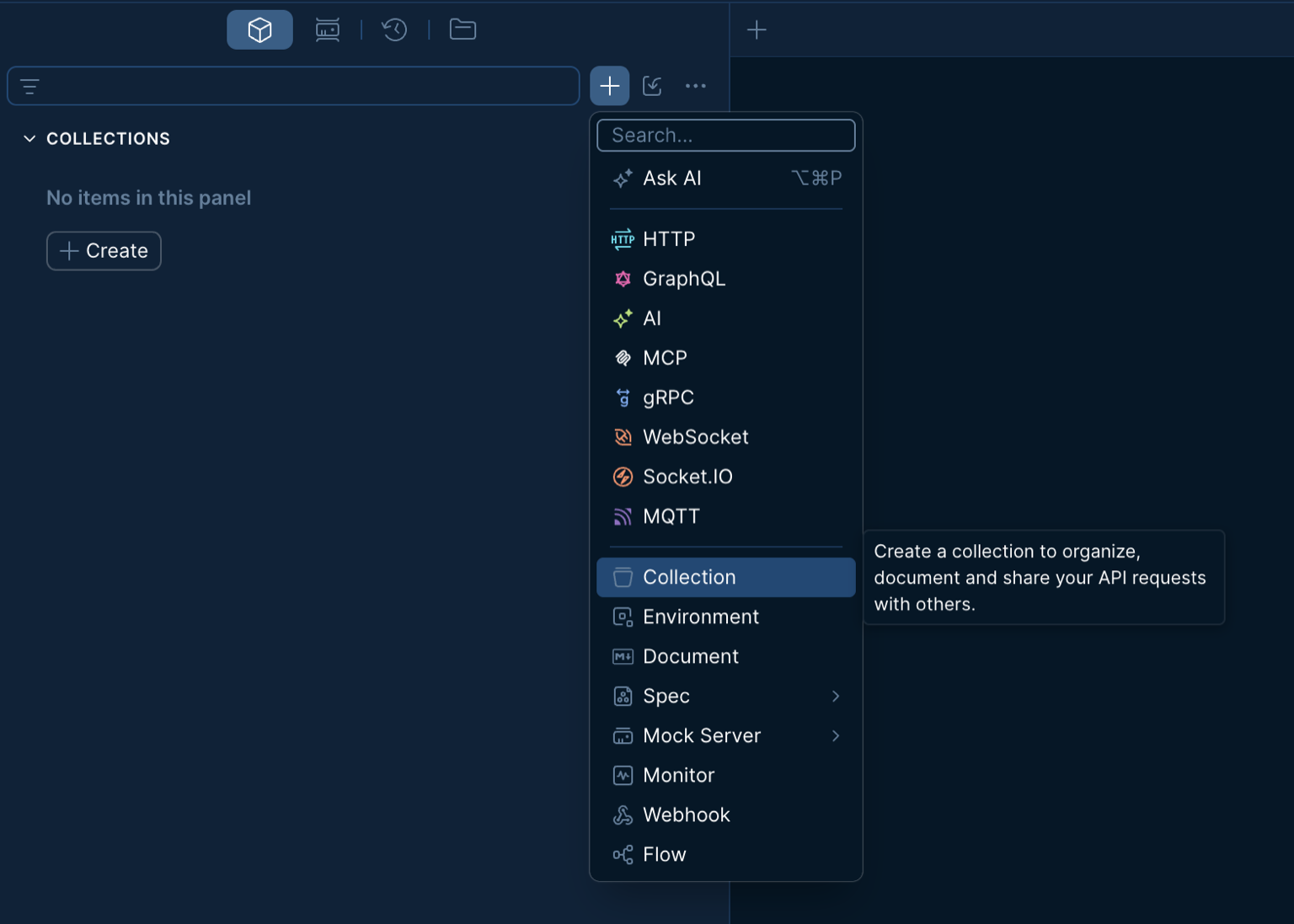
- Name it Country Dossier and save.
Add Your First Lookup
A request is a single call to an API. GET means you're asking the server for data; the URL tells it what to return. This is your first API call — don't worry about the JSON yet, just look for a green 200 OK.
- In the left sidebar under Country Dossier, click Add request.
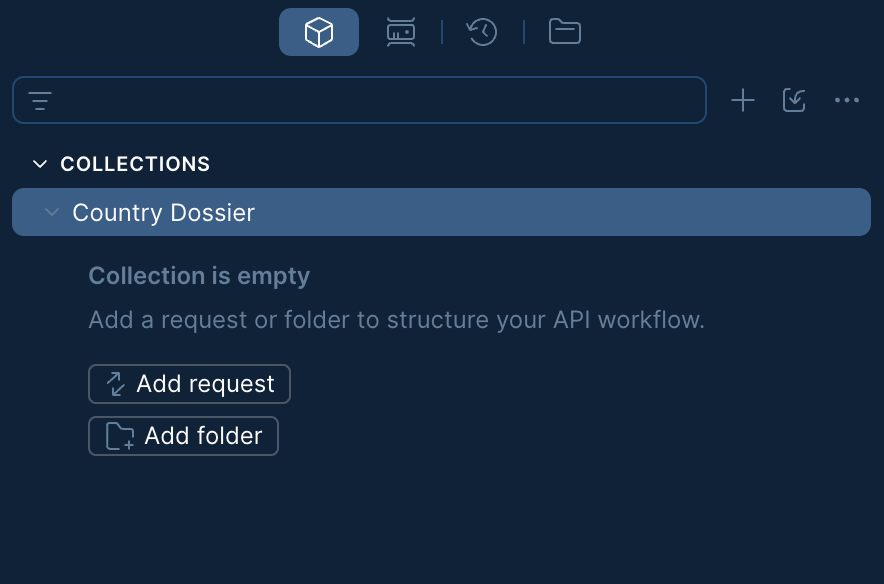
- Name the request Get Country.
- Leave the method as GET and paste this URL into the address bar:
https://liftoff-101.mock.postman.postman.dev/countries- Click Save (Ctrl/Cmd+S) — choose Country Dossier as the destination if prompted.
- Click Send. You should get 200 OK — that means it worked. The JSON below is the response; you'll use it in later steps.
Pick a Destination
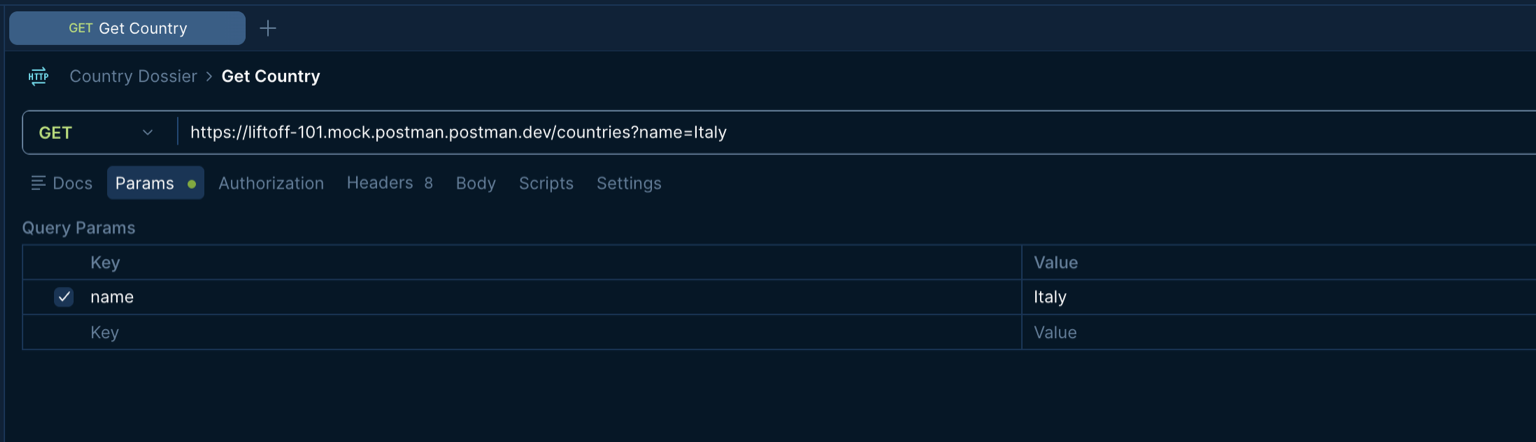
Query params filter what the API returns — like adding ?name=Bangladesh to narrow the list down to one country.
- Open Get Country from your collection.
- Click the Params tab (directly below the URL bar).
- In the Query Params table, add a row:
| Key | Value |
|---|---|
name | your home country, e.g. Bangladesh |
- Make sure the checkbox next to
nameis checked — that enables the parameter. - Your URL should now end with
?name=Bangladesh(or wherever you're headed). Click Send again — the response should show only your country, not the full list.