Connect a Postman API key to check your work
You do each step in Postman, then LiftOff uses your key to look at your workspace and confirm it's done. Connect once and it works for every module. Your key is saved in this browser and is only used to check your work in Postman.
Fabric Gateway: One Governed Path for Agent Execution
Fabric Gateway sits between an application or AI agent and the models, MCP servers, APIs, CLI tools, and other agents it needs to use.
Instead of making the agent connect to every destination and hold every credential itself, the agent sends requests through Fabric. Fabric applies identity, access policy, managed credentials, routing, retries, rate limits, guardrails, and observability while the application is running.
The control plane is where services are registered and policies are configured. The data plane is where Fabric enforces those decisions as traffic flows to the selected model, MCP server, API, or agent.
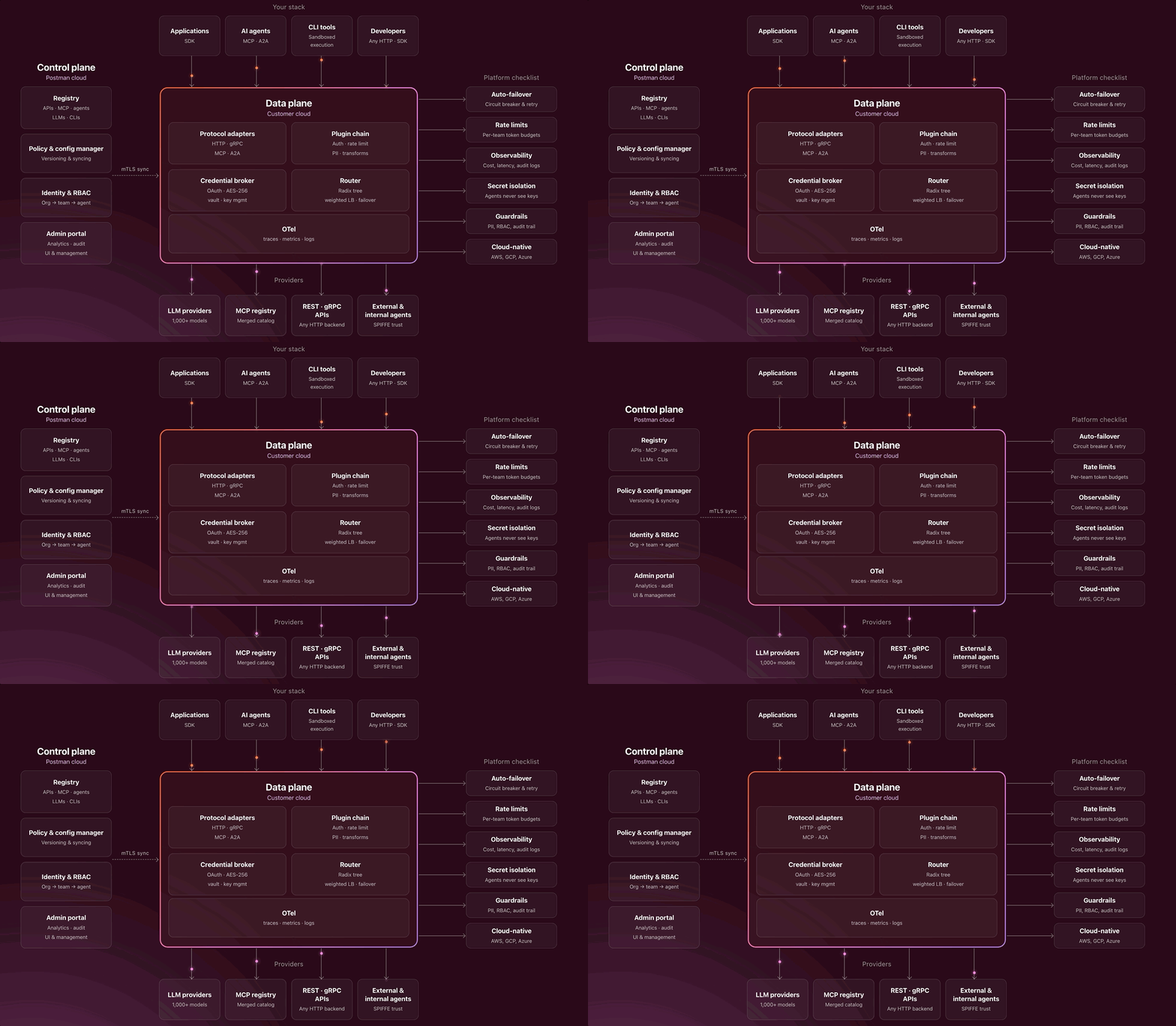
You already have a working Banking, Fraud, and Support workflow. Start turning its scattered direct connections into one governed path by creating a model route, importing the Fraud API, and testing Fraud through Fabric from Postman.
Configure an LLM Route
-
Open Fabric Gateway. Sign in, or create an account if you do not already have one.
-
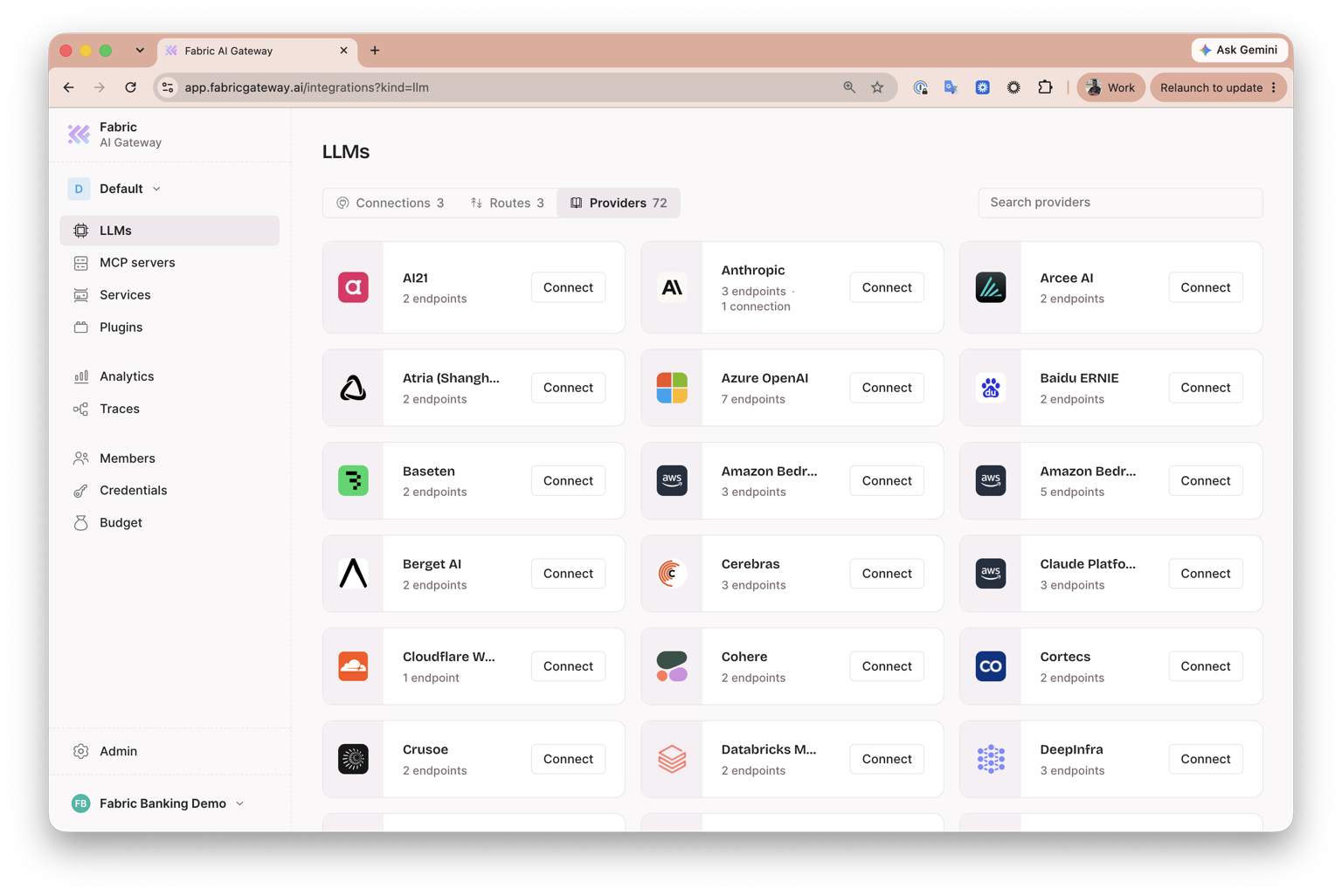
In the sidebar, select LLMs, then select the Providers tab.
-
Locate OpenAI in the provider catalog and select Connect.
-
On Create LLM connection, confirm that Provider is set to OpenAI. Under Connection, leave these defaults unchanged:
- Connection name:
openai - Target URL:
https://api.openai.com - Models: All current and future models
- Access: Open
- Connection name:
-
Under Upstream auth, confirm that Auth type is Bearer token, then paste your OpenAI API key into API key. Fabric encrypts this upstream credential and stores it in its managed vault, so the support agent does not need to hold it directly.
-
Leave Create gateway route selected. Confirm the route name is
openai-route, keep the generated base path, and leave all endpoints selected.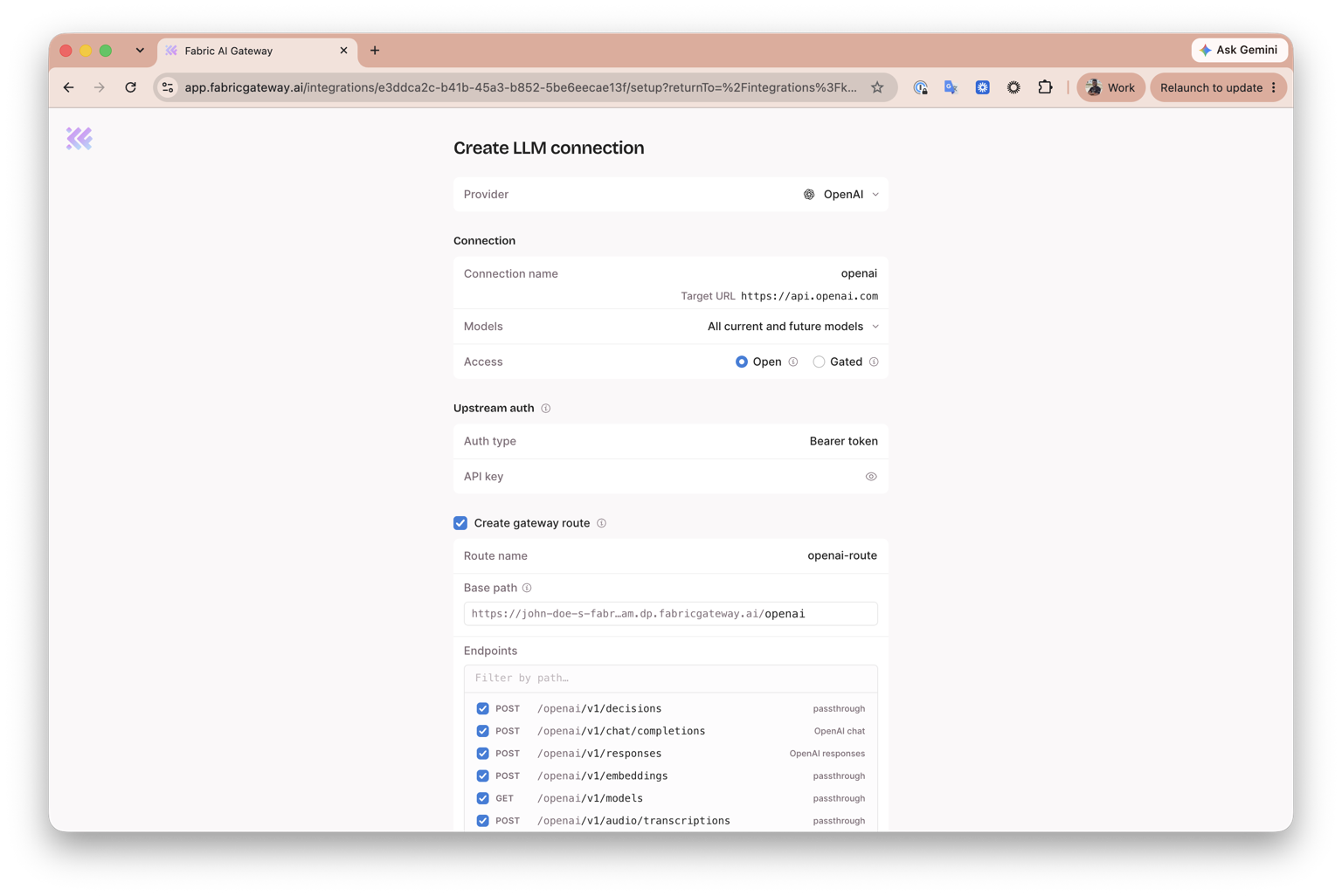
-
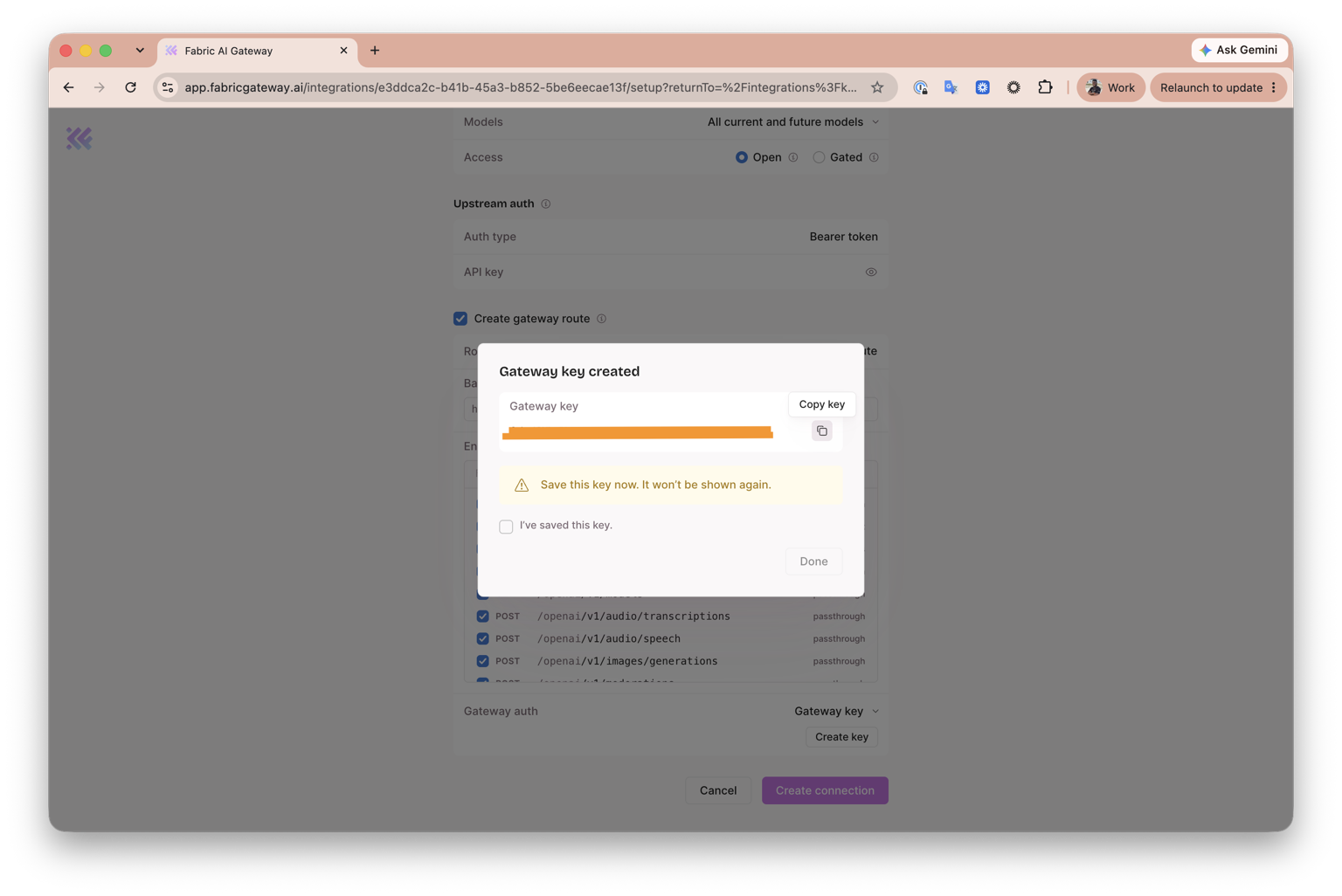
Under Gateway auth, select Gateway key, then select Create key.
-
When Gateway key created appears, select Copy key and save the key securely. It will not be shown again. Select I've saved this key, then select Done.
-
Select Create connection. Fabric creates the OpenAI connection and its gateway route together.
-
Open the cloned project's
.envfile and replace the placeholder value ofFABRIC_API_KEYwith the gateway key you copied:
FABRIC_API_KEY=YOUR_COPIED_GATEWAY_KEY-
Return to LLMs, select the Routes tab, open the ellipsis menu for
openai-route, and select Copy LLM Base URL. This copies the OpenAI-compatible base URL, including/v1. -
Return to the cloned project's
.envfile and paste the copied URL as the value ofFABRIC_LLM_URL:FABRIC_LLM_URL=YOUR_COPIED_LLM_BASE_URL
Expected outcome: Your Fabric tenant exposes the selected models through an LLM route, and the cloned support agent has the gateway credential and LLM base URL it needs to use that route.
/models endpoint through Fabric and confirms that it returns a model catalogue. The key is used only for this server-side request and is not saved.Import and Expose the Fraud API
-
Open your Postman workshop workspace.
-
In the left sidebar, expand Specs, then click Intergalactic Fraud API.
-
In the specification editor, click Code, confirm the format is YAML, then copy the complete OpenAPI definition.
-
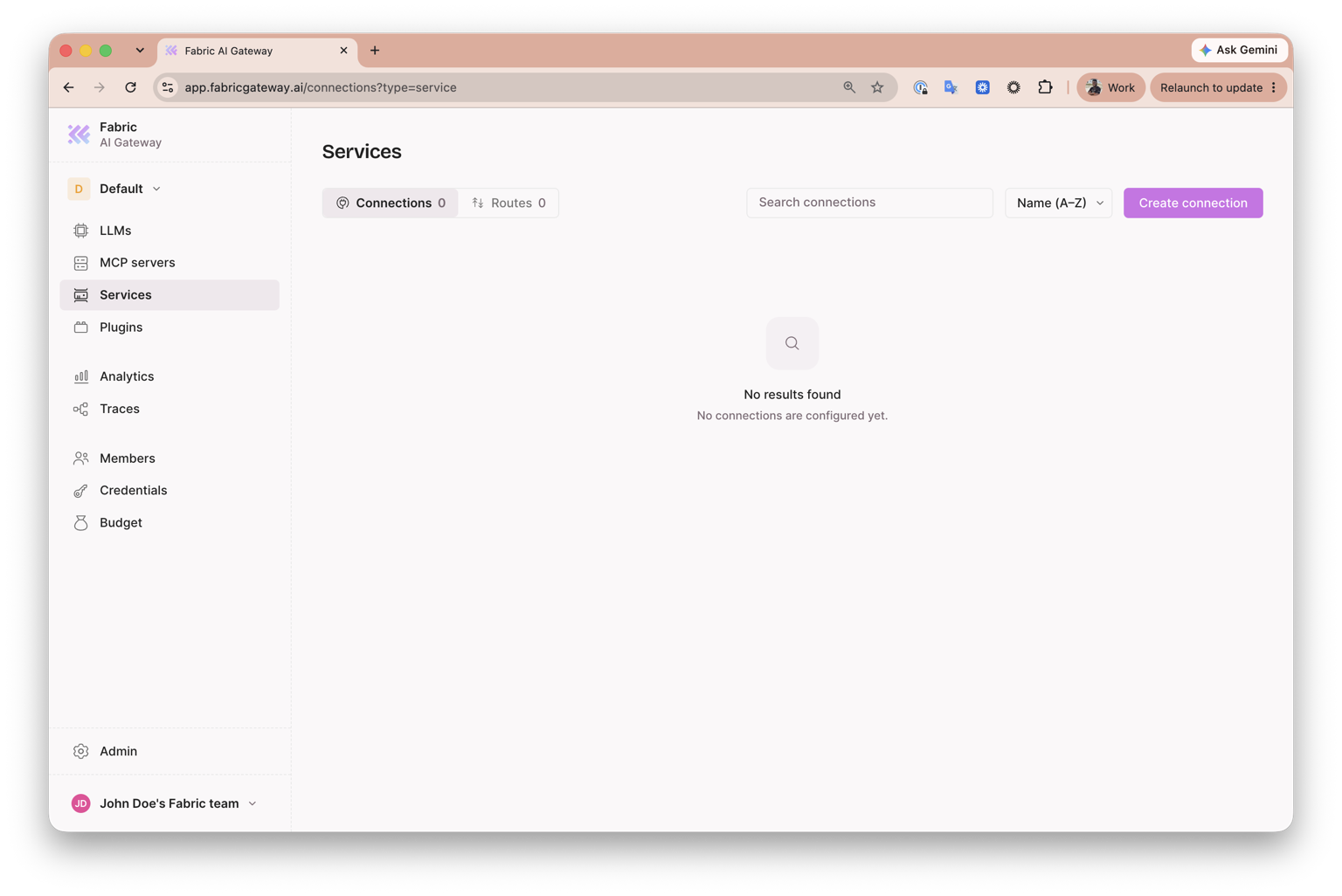
Switch to Fabric Gateway. In the sidebar, click Services, confirm that Connections is selected, then click Create connection.
-
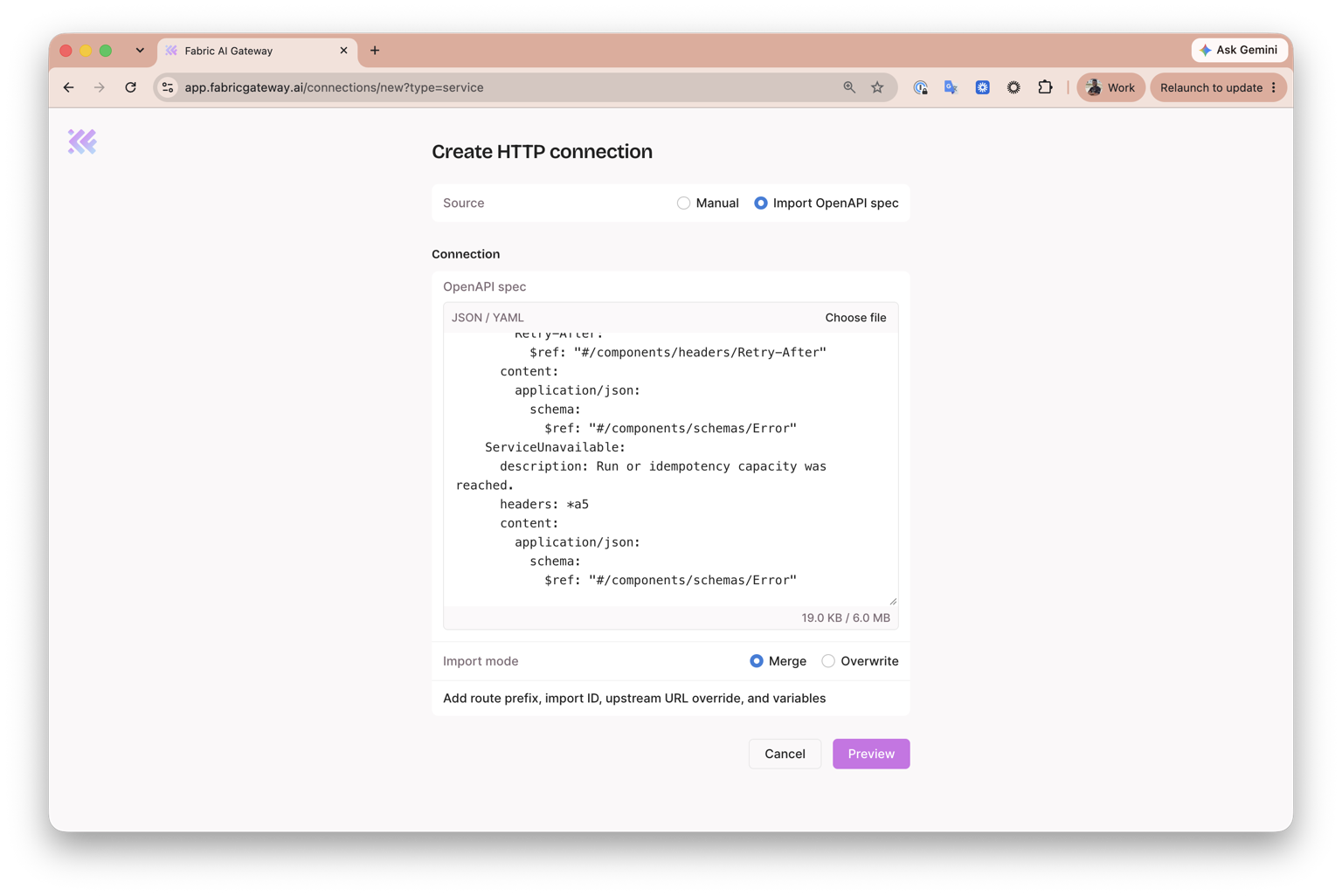
On Create HTTP connection, click Import OpenAPI spec under Source. Paste the YAML into OpenAPI spec, leave Import mode set to Merge, then click Preview.
-
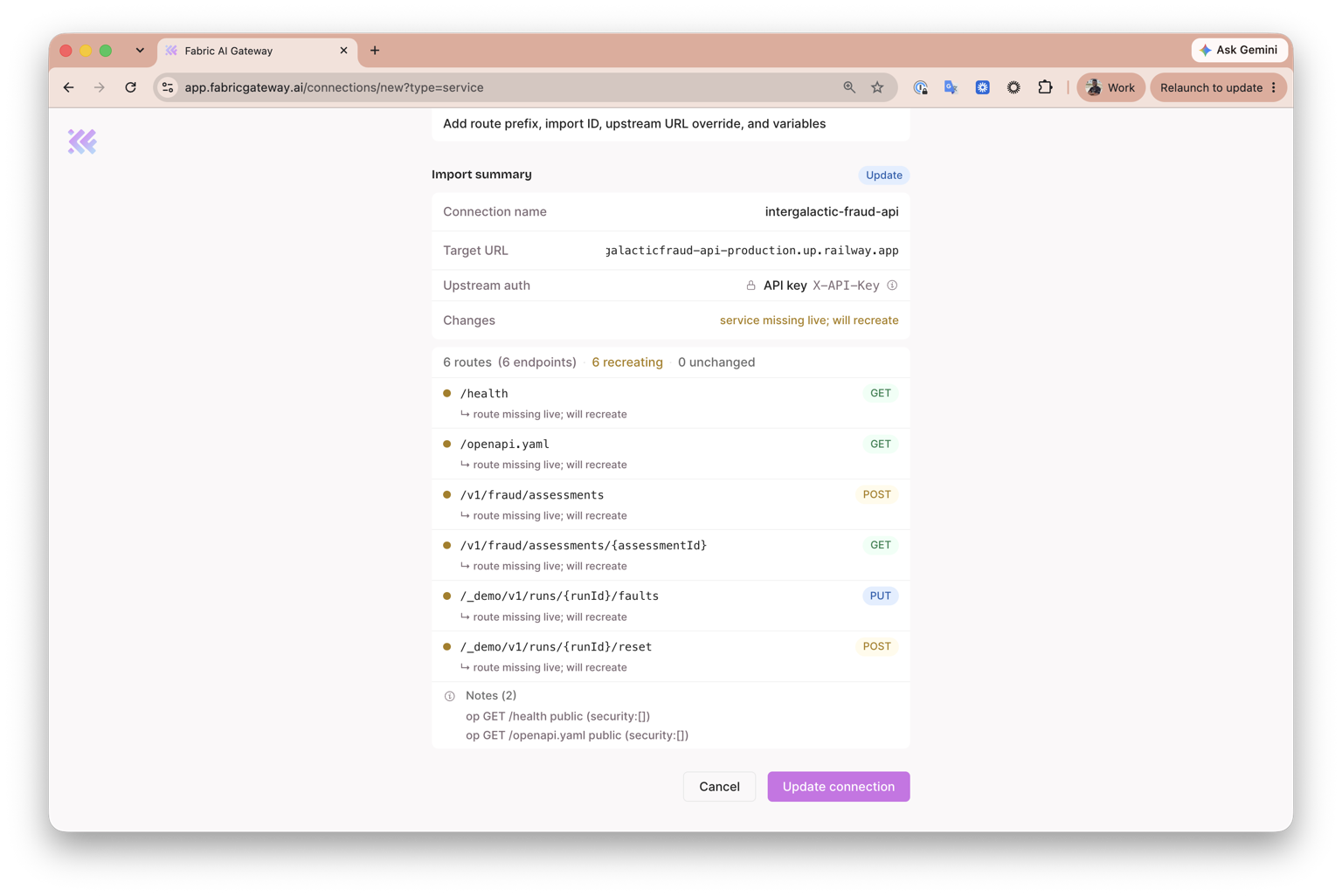
Review the Import summary. Confirm that:
- Connection name is
intergalactic-fraud-api. - The Target URL points to the deployed Fraud API.
- Upstream auth is API key in the
X-API-Keyheader. - Fabric found six routes, including the public
/healthand/openapi.yamlroutes.
- Connection name is
-
Click the action at the bottom of the summary. For a new import, it says Create connection. If the connection already exists, as shown in the screenshot, it says Update connection.
-
On the
intergalactic-fraud-apiconnection page, confirm that the connection is saved. Its Overview should show Access as Open and one upstream.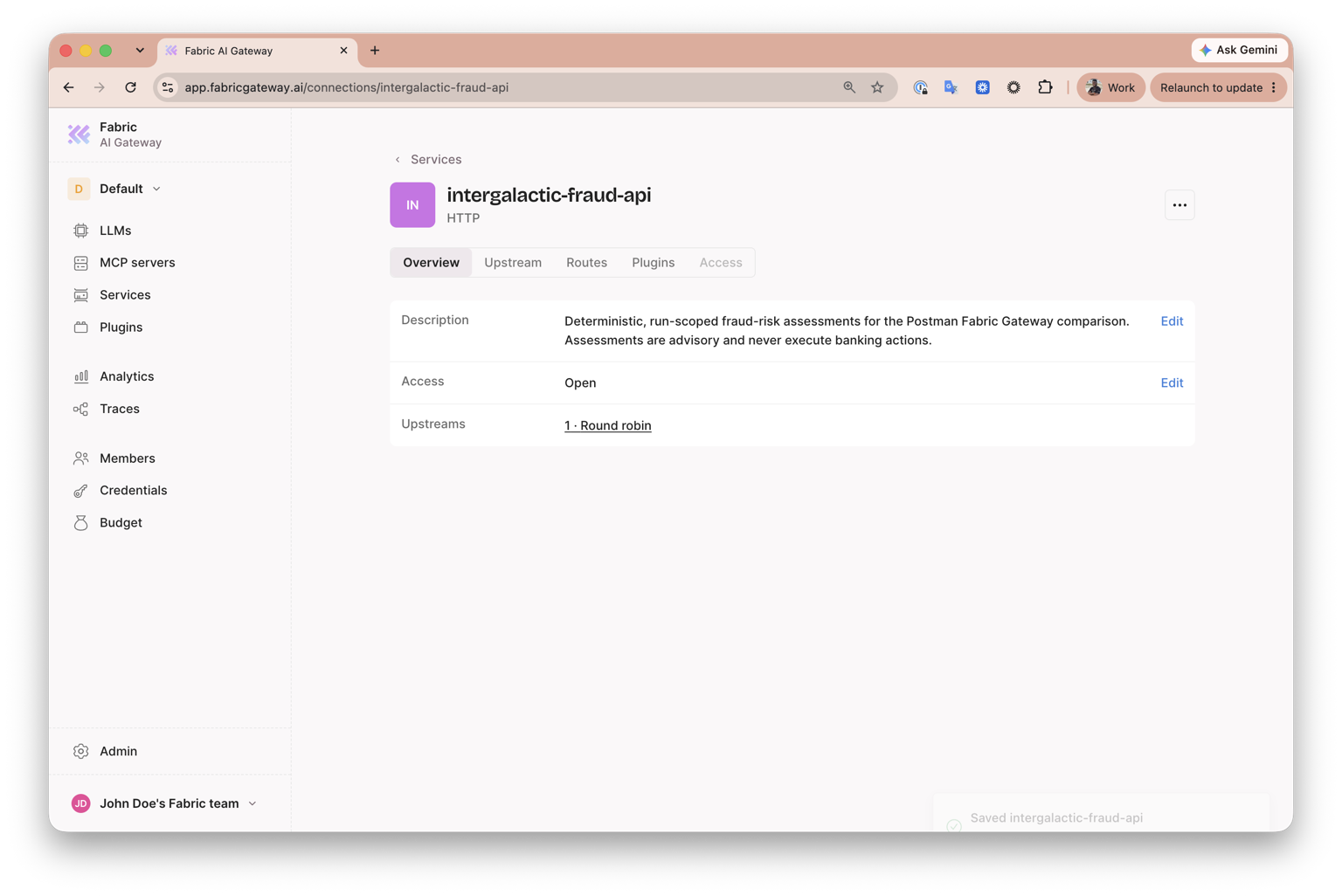
-
In Fabric's sidebar, click Credentials, then click Create credential.
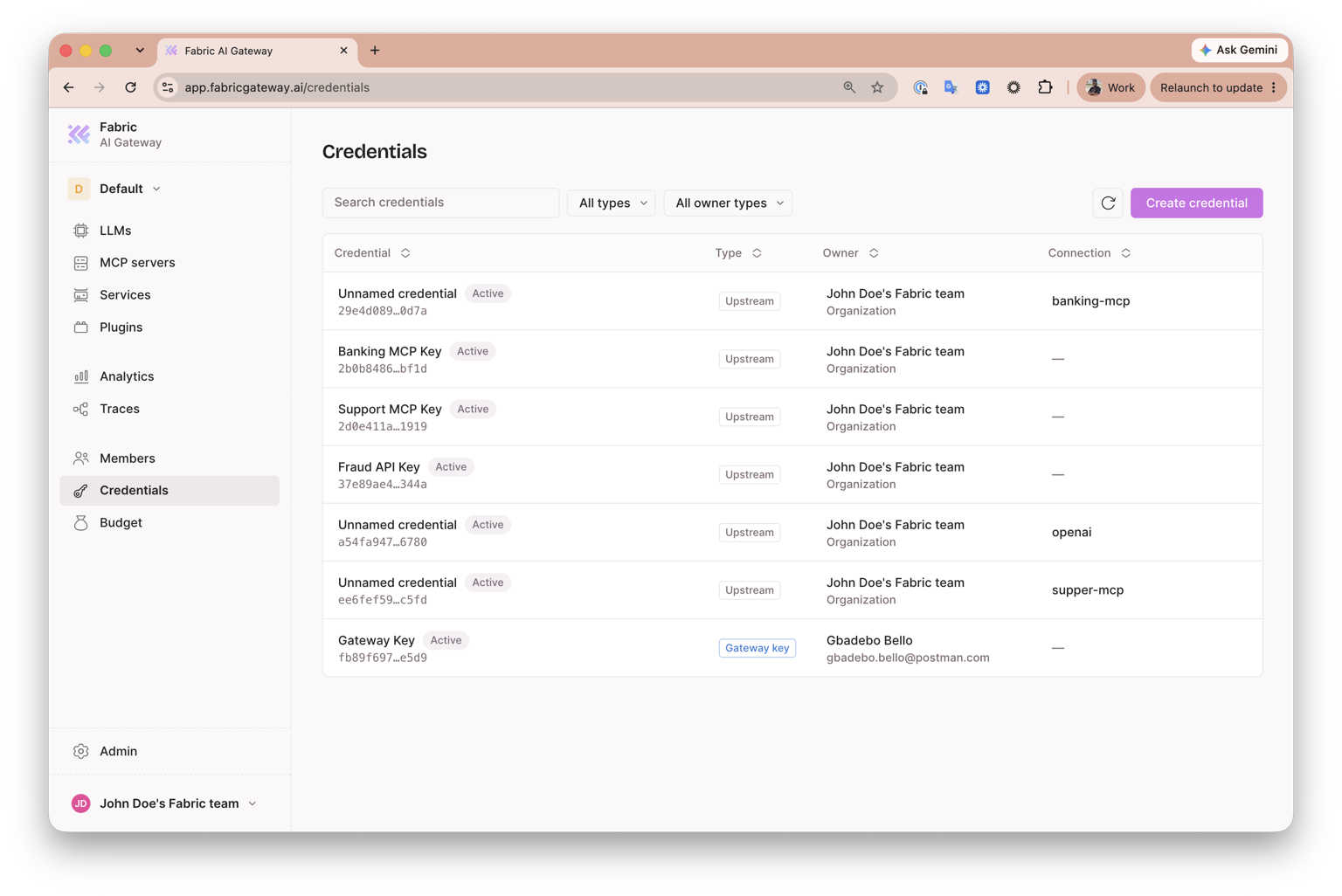
-
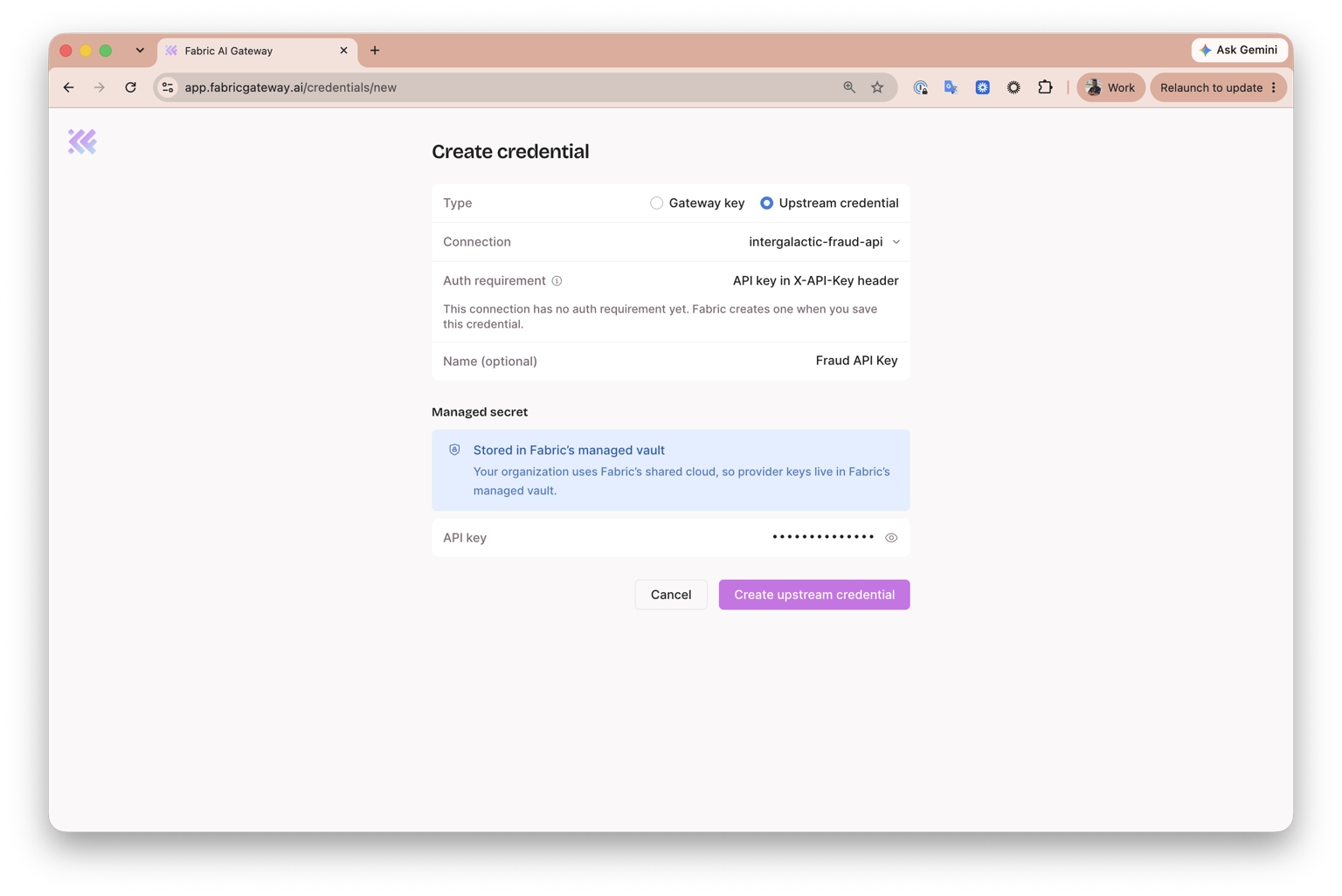
Configure the credential:
-
Set Type to Upstream credential.
-
Under Connection, select
intergalactic-fraud-api. -
Confirm that Auth requirement is API key in X-API-Key header.
-
Enter
Fraud API Keyunder Name (optional). -
Enter the following API key:
fraud-demo-key
-
Click Create upstream credential. Fabric encrypts the key and stores it in its managed vault, then supplies it as
X-API-Keywhen it calls the upstream Fraud API. -
Return to Services, open
intergalactic-fraud-api, then select the Routes tab. Find the/healthroute, open its ellipsis menu, and select Copy DP URL.
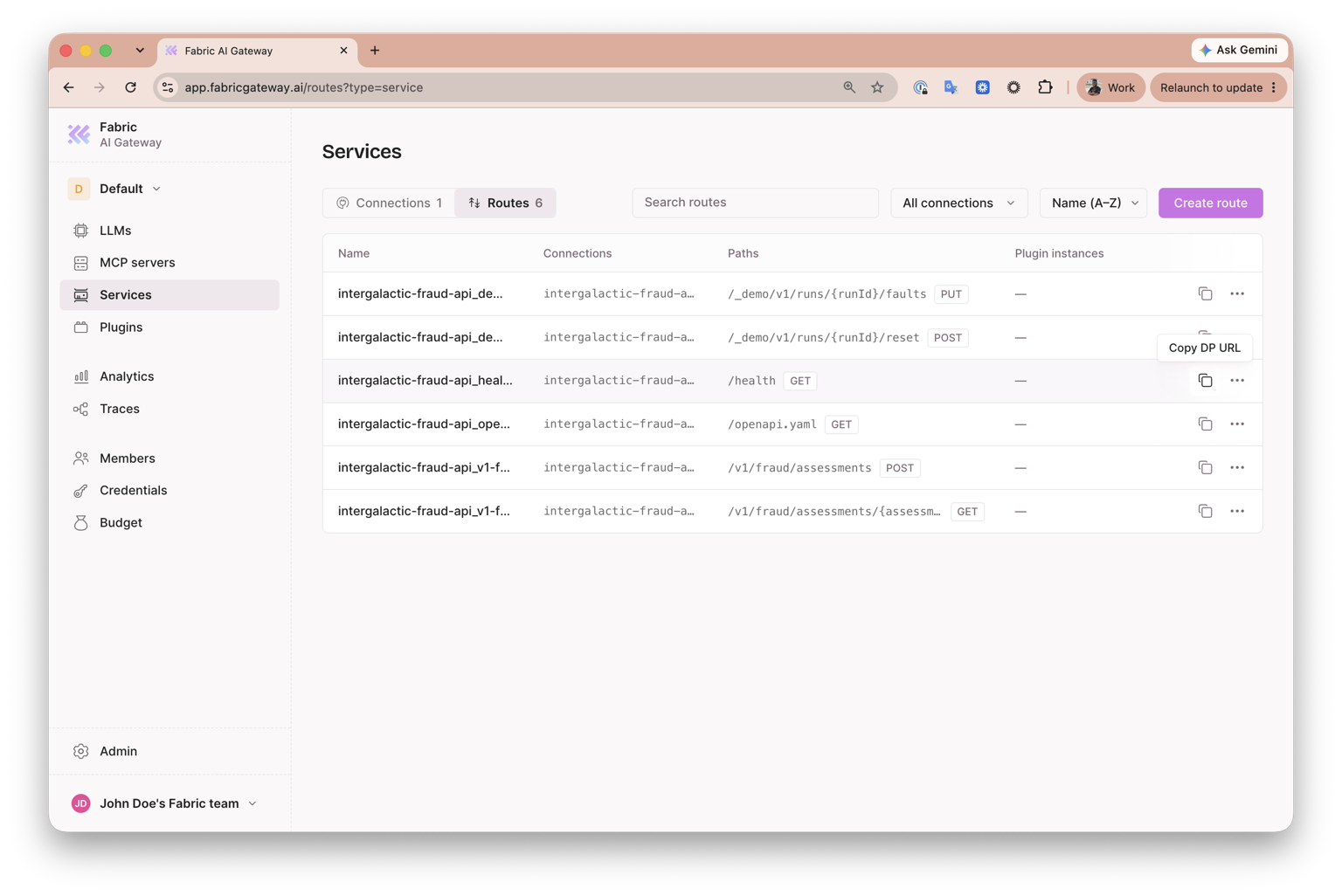
- The copied URL ends in
/health. Remove that trailing path so that you keep only the Fraud API data-plane base URL. For example, changehttps://your-team.dp.fabricgateway.ai/healthtohttps://your-team.dp.fabricgateway.ai. - Open the cloned project's
.envfile and replace the placeholder value ofFABRIC_FRAUD_API_URLwith the base URL after removing/health:
FABRIC_FRAUD_API_URL=YOUR_FRAUD_DP_BASE_URL-
Return to your workshop workspace in Postman and open the Fraud API collection. From the environment dropdown, select Fabric Gateway.
-
In the left sidebar, open Environments → Fabric Gateway. Paste the same base URL—without
/health—into the current value offraudBaseUrl.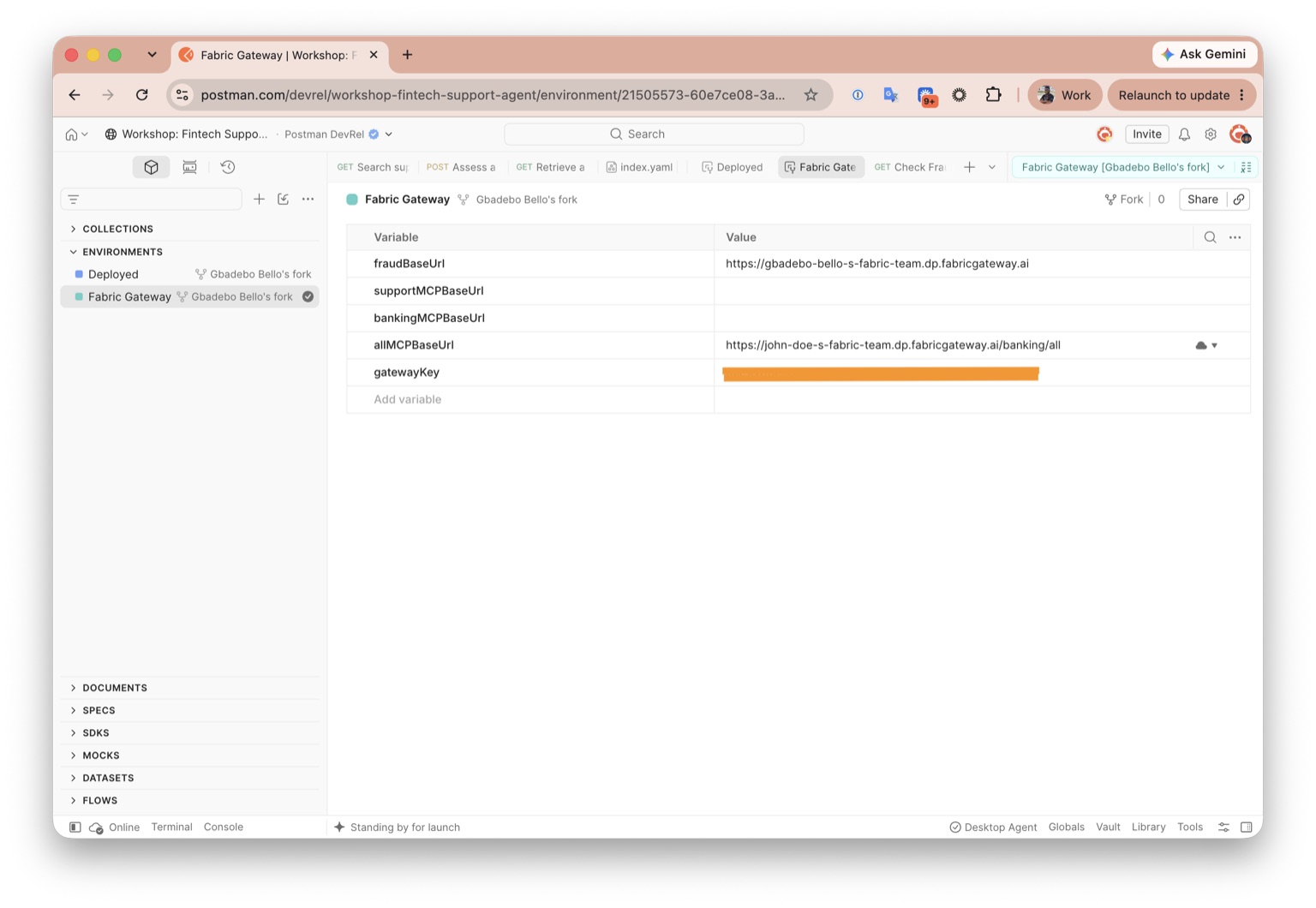
-
Confirm that Fabric Gateway remains selected in the environment dropdown, open System → Check Fraud API Health, then select Send. Confirm that the public health route succeeds through Fabric Gateway without a gateway key.
-
Open Fraud Assessments → Assess a transaction for fraud risk, then select Send.
-
Confirm that Fabric returns a
201 Createdresponse containing the transaction's risk score, level, and fraud signals.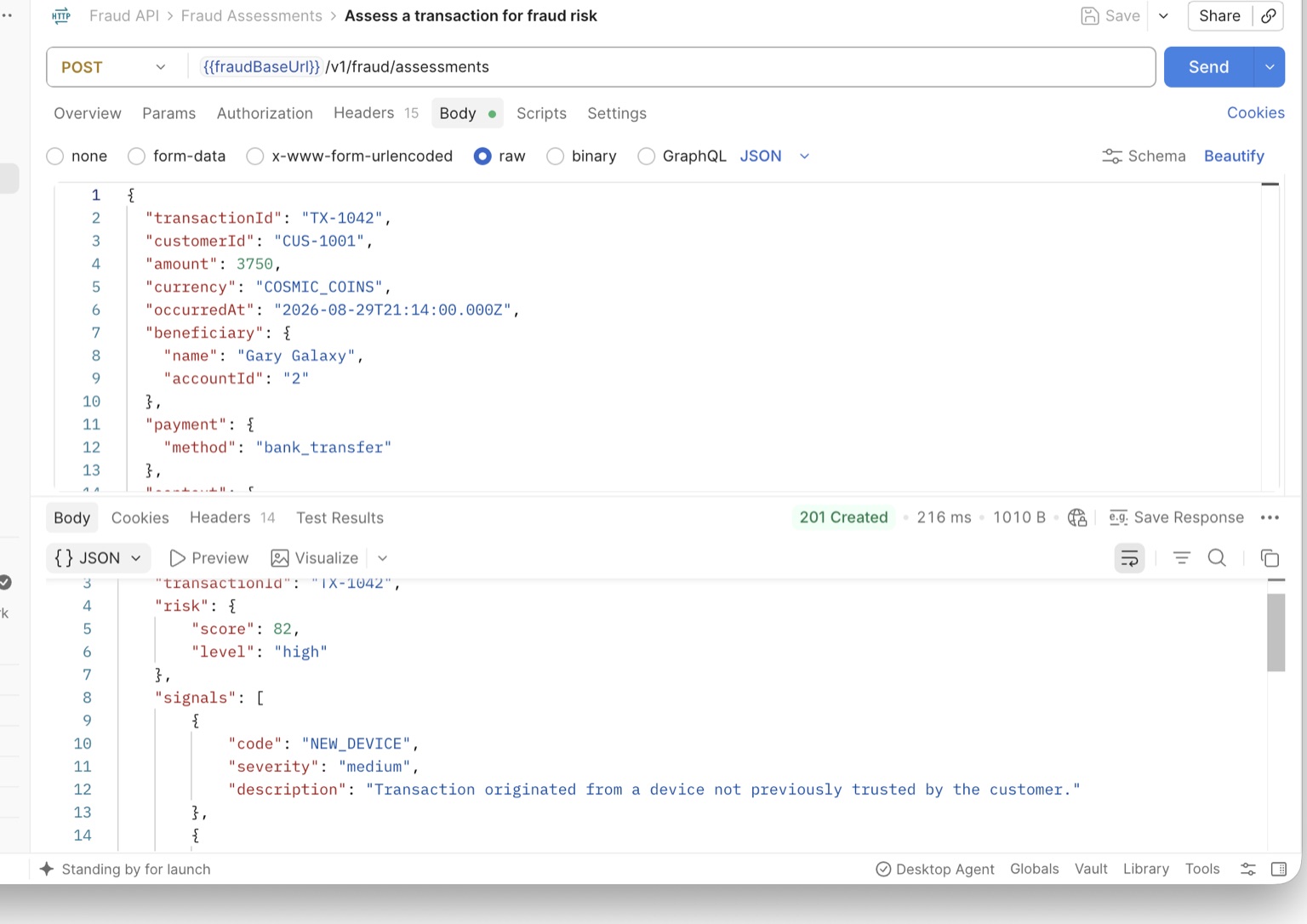
Expected outcome: Fraud works through Fabric without exposing its upstream credential to the client.
/health—below. LiftOff sends the same unauthenticated GET /health request through Fabric and confirms a successful response.